Multitrack recording
Record onto as many tracks as you need, with takes kept and punch-in on the timeline.

A digital audio workstation that runs in your browser. Multitrack editing, a full mixer with sends and automation, 27 built-in plugins, MIDI and your own VST3, Audio Unit and CLAP plugins. Or download it for Mac and Windows.
Your sessions never leave your computer. Nothing to install.
Every sound in the demo song is synthesised by SynSound's own instruments, then mixed with its own EQ, dynamics and reverb, and bounced straight from the app. Open it in the app to see every track.
The demo song, 56 seconds, bounced by SynSound.
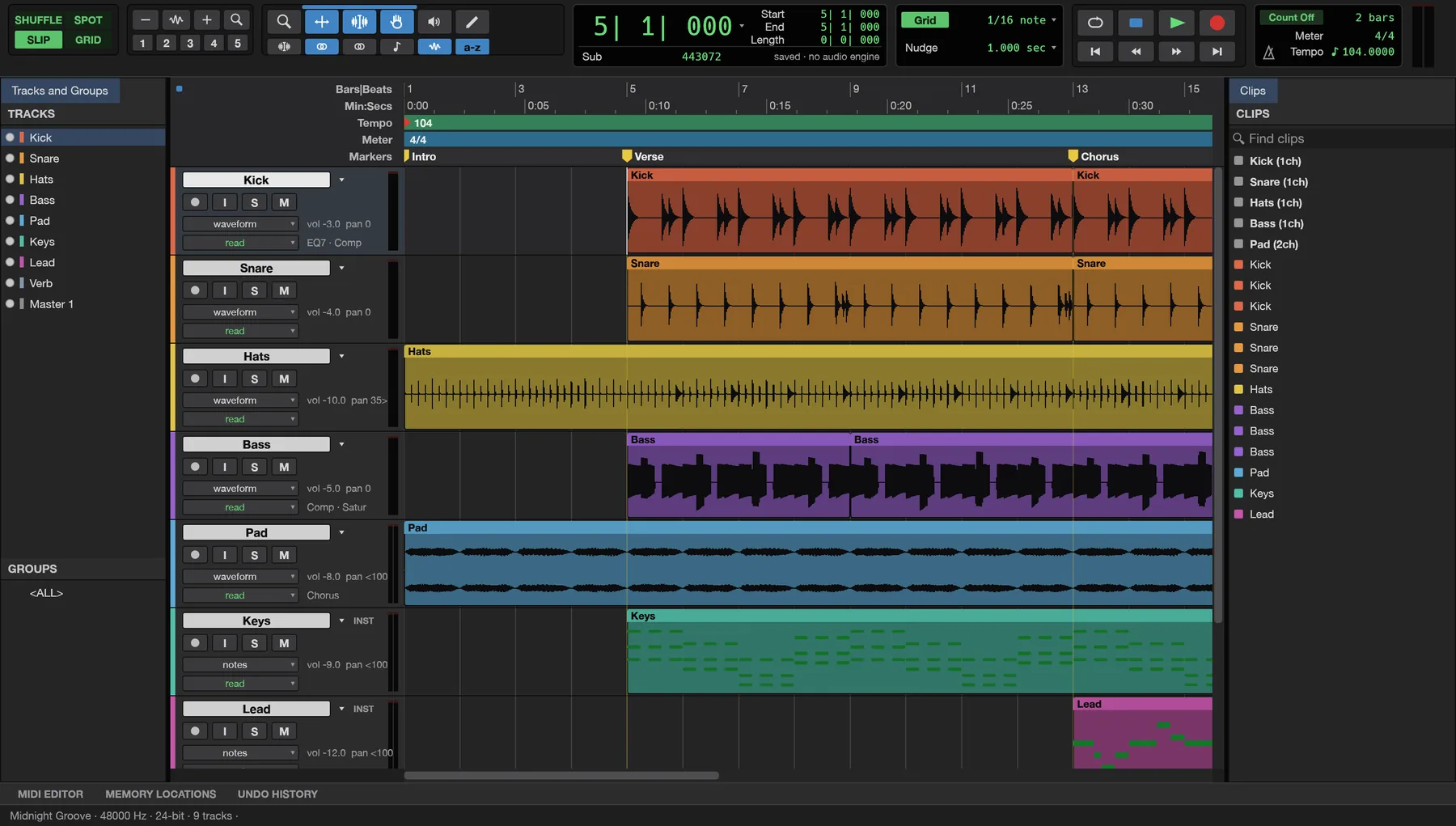
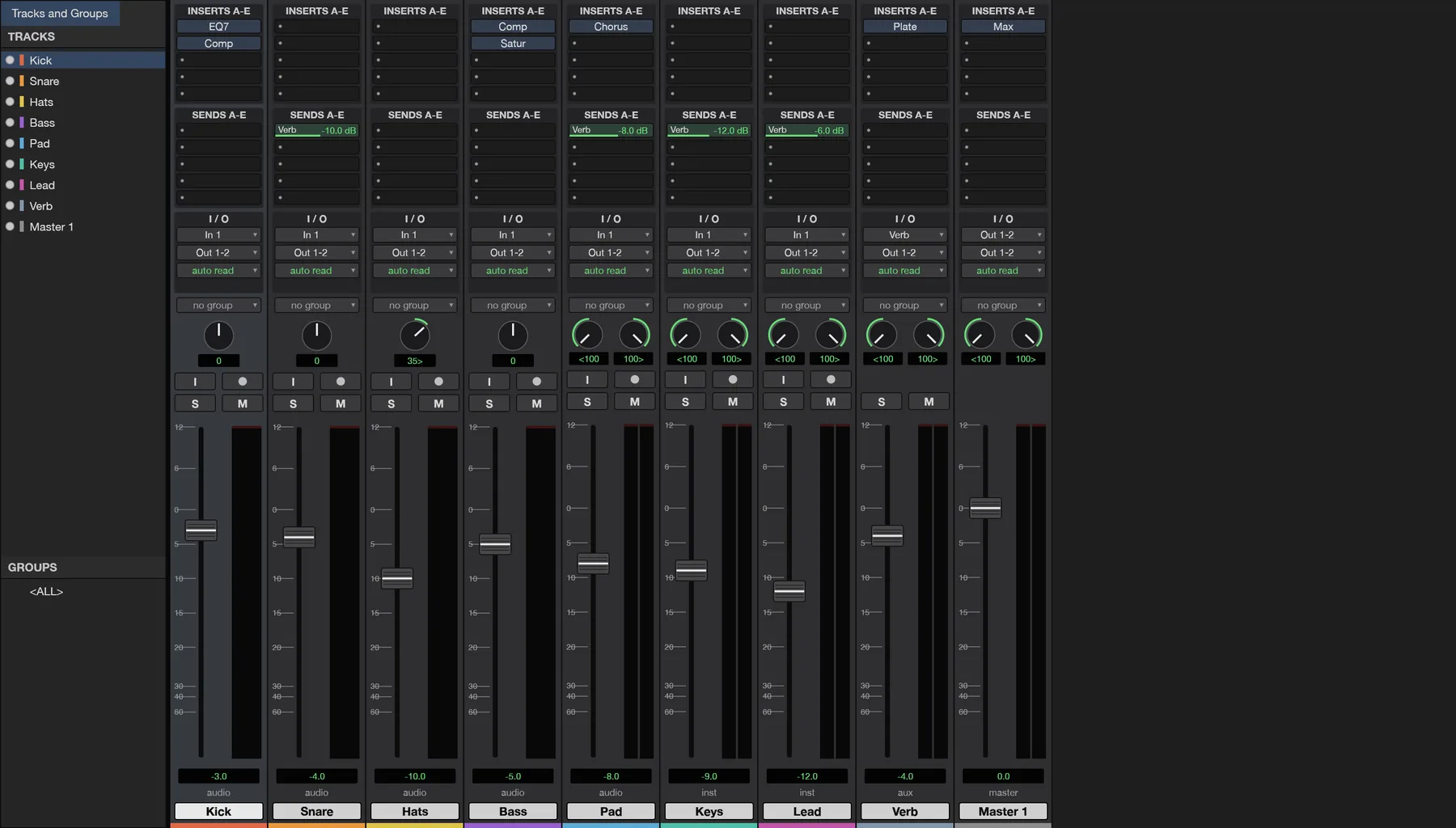
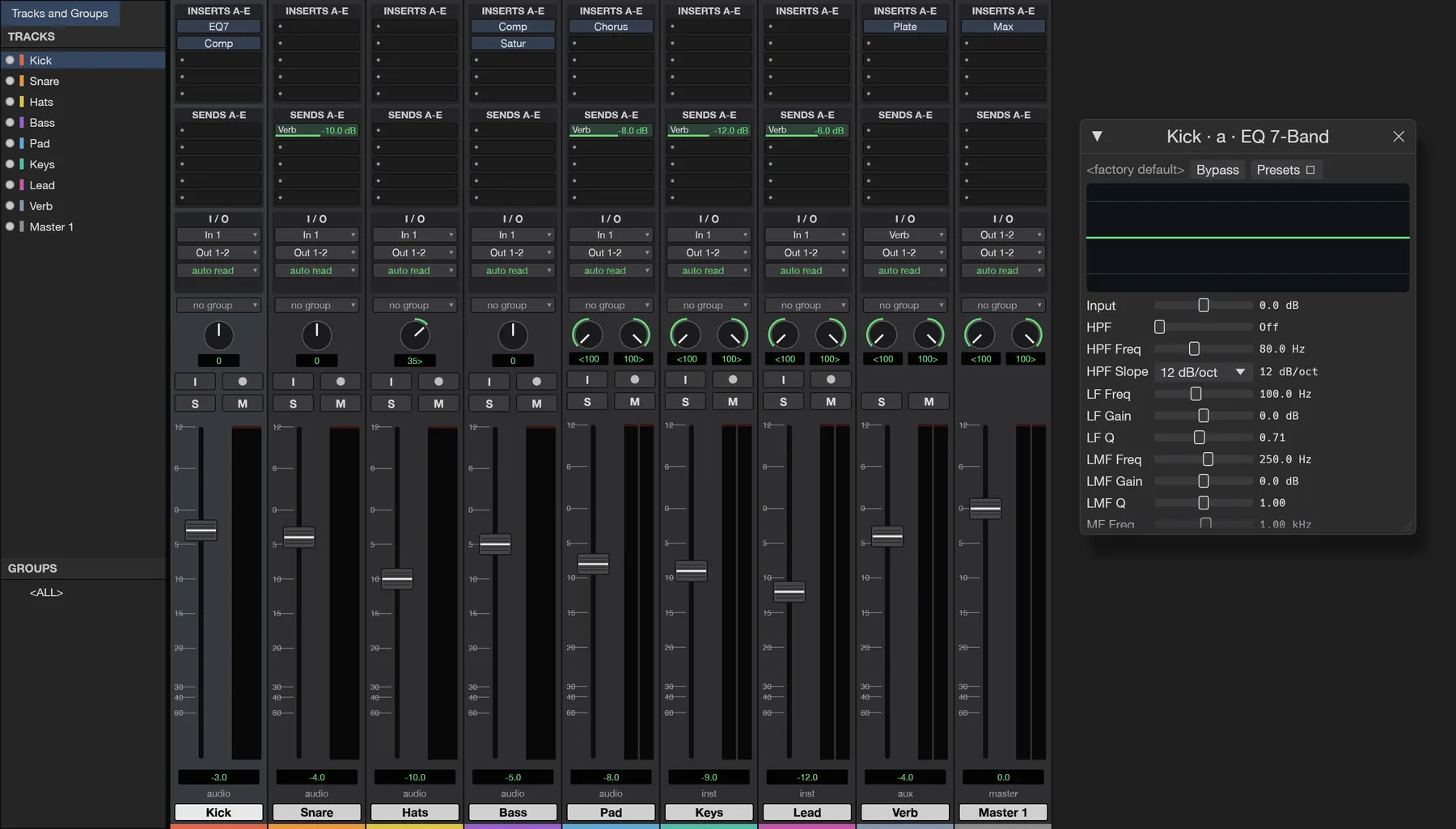
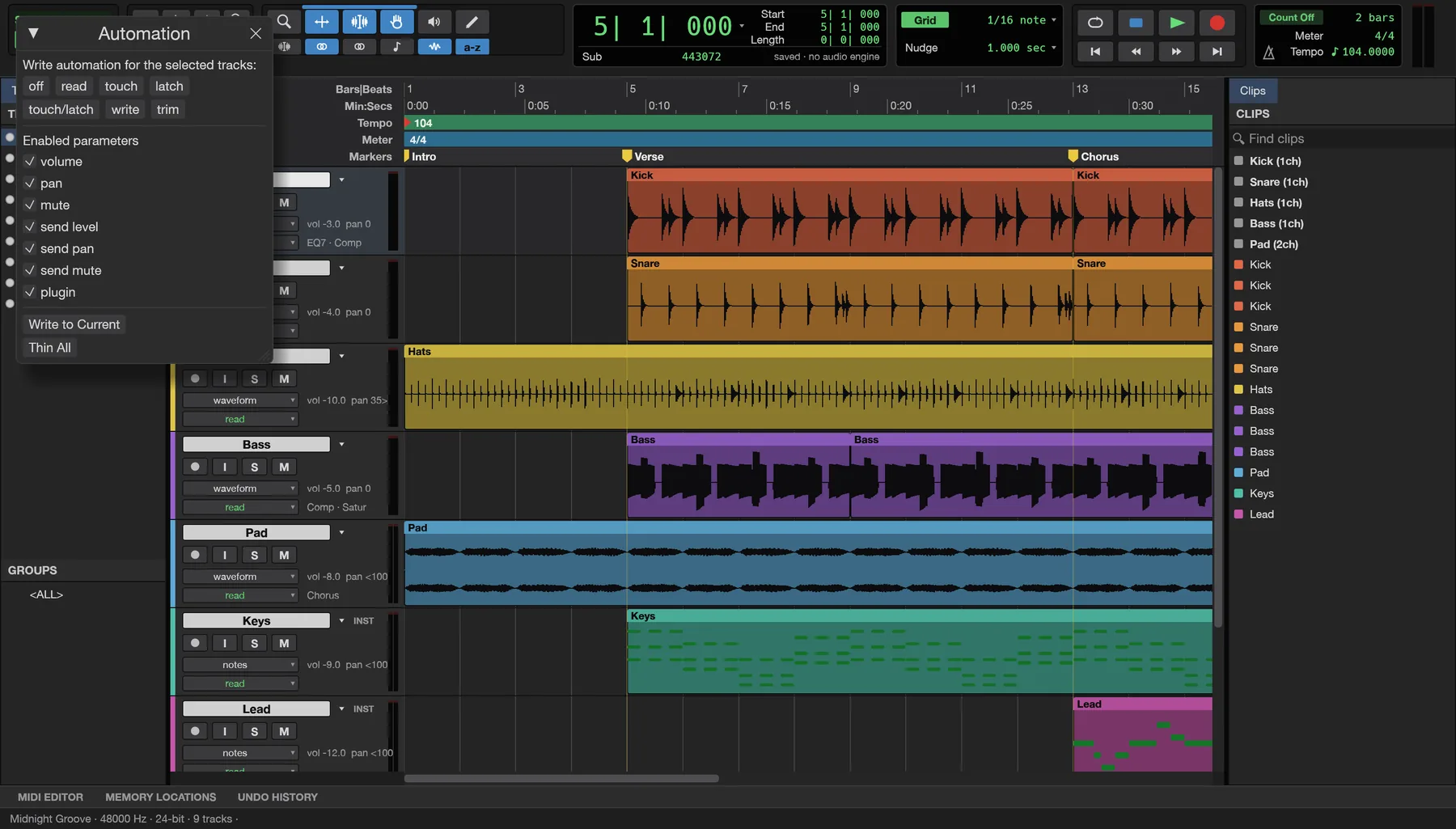
Tracks, clips and the transport in one window; channel strips with inserts, sends and faders in the other.
Record onto as many tracks as you need, with takes kept and punch-in on the timeline.
Trim, split, fade, crossfade and nudge clips on the grid, with markers and memory locations.
WAV, AIFF and FLAC, plus MP3, Ogg, AAC and ALAC, dropped straight onto tracks.
Channel strips with inserts, sends, pan and faders, buses and automatic delay compensation.
Volume, pan, mute, sends and every plugin parameter, written live in Write, Touch and Latch.
EQ, compressor, gate, de-esser, maximizer, reverbs, delay, chorus, saturation and more.
A subtractive synth, a drum synth and a sampler that plays any audio file across the keyboard.
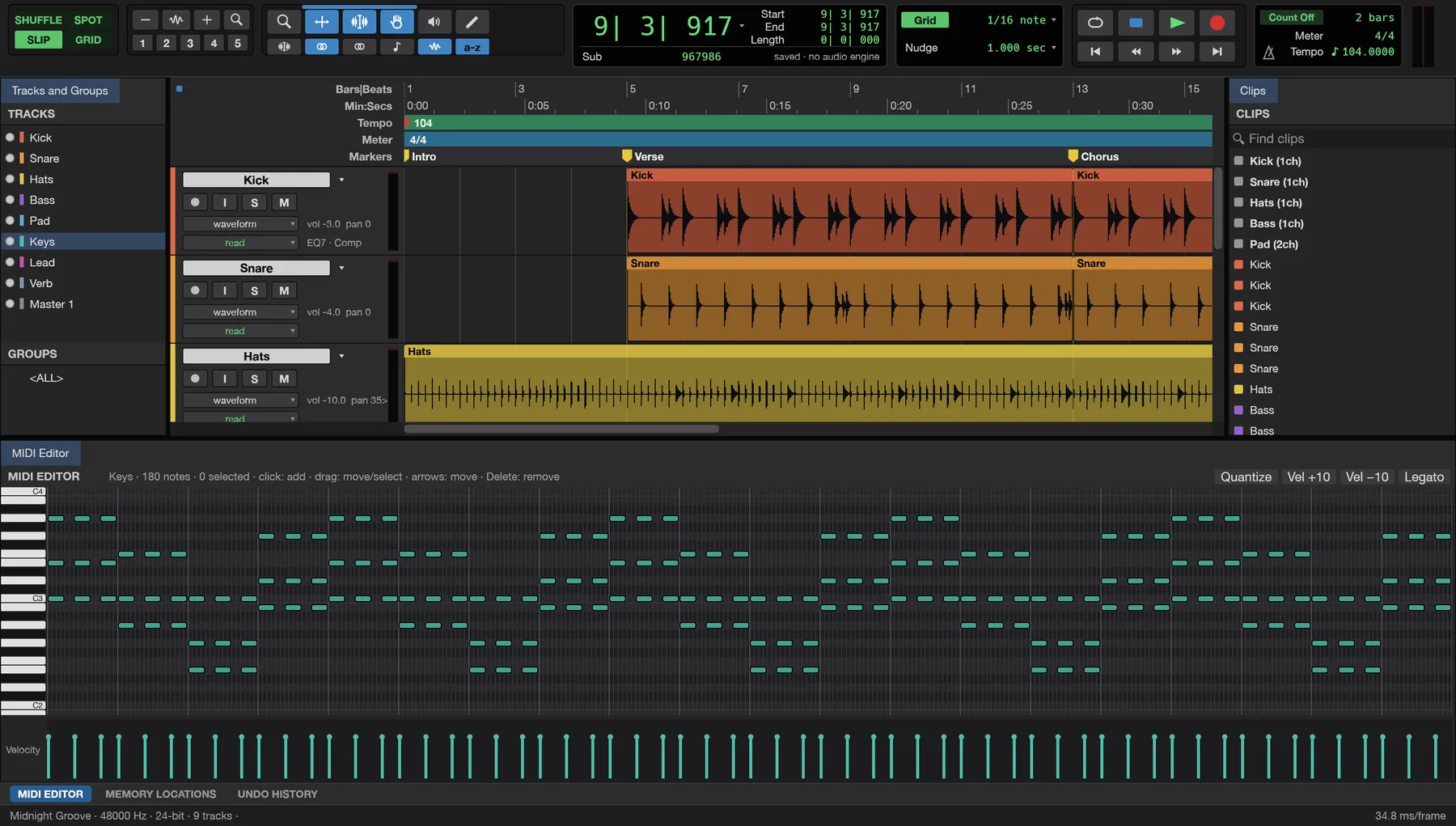
Draw and edit notes with a velocity lane, step input, quantize and transpose.
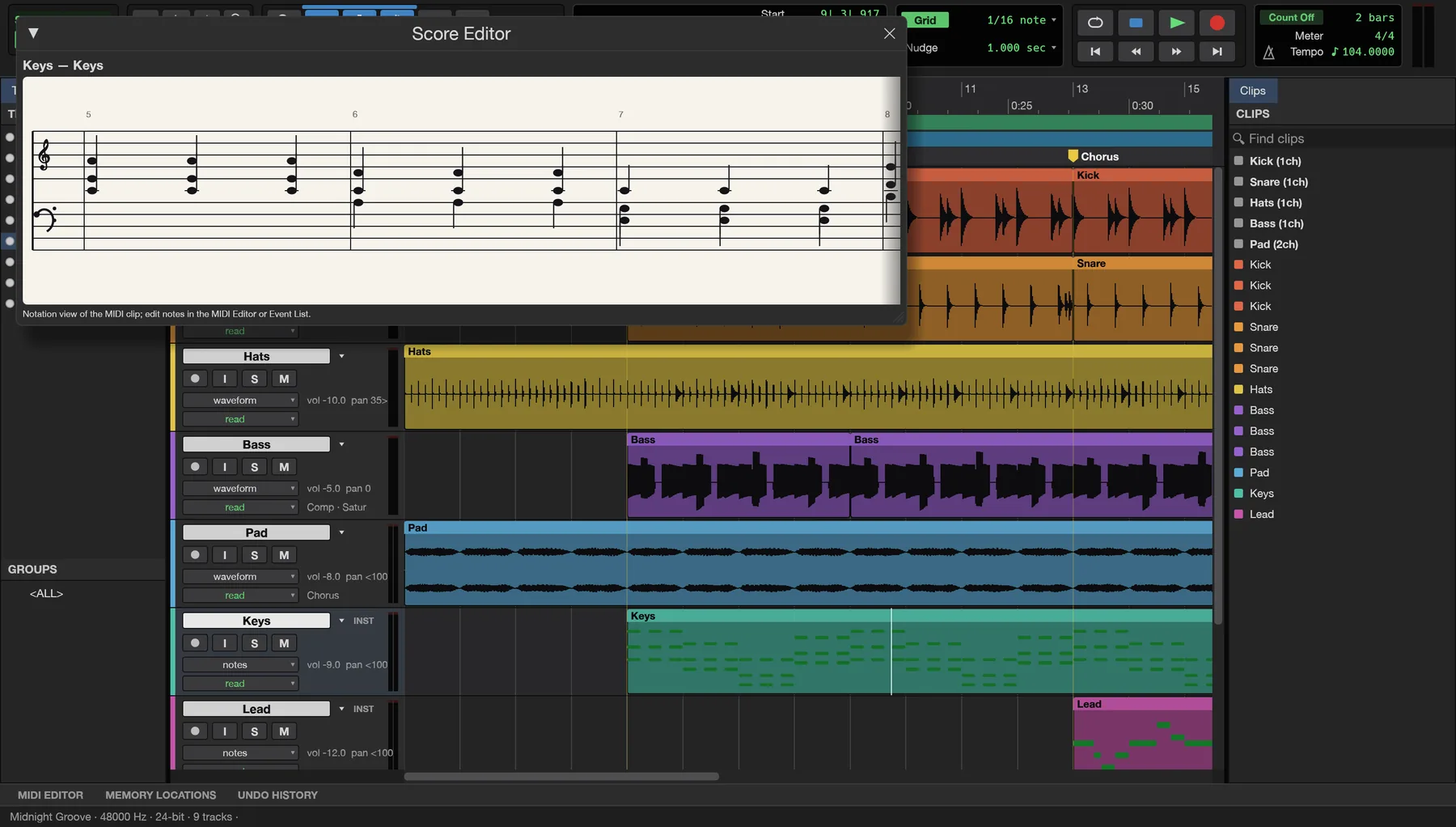
See MIDI as notation, print engraved scores and export MusicXML for notation programs.
VST3, Audio Units and CLAP load with their own editors, saved with the session.
Bounce the mix or stems to WAV, AIFF or FLAC at 16, 24 or 32-bit float, with dither.
Every command runs from a command line, a control channel or an MCP server.
Real SynSound screens with its demo song. Switch between them to see each part of the app.
SynSound is new. Editing, mixing, bouncing and saving work end to end; these are next on the list.
It records from your computer's default input and plays through its default output for now.
Draw and edit MIDI today; playing notes in from a keyboard is coming.
AAF, OMF and .ptx sessions don't open yet: bring in the audio files instead.
Unreleased songs, voice-overs and client mixes stay on your own device. SynSound records, mixes and bounces everything locally, in the browser or in the app.
The online version works on files inside your browser. Nothing is sent to us.
Once it has loaded, SynSound keeps working without an internet connection.
Nothing to sign up for, no licence server and no telemetry.
WAV, AIFF, FLAC, MIDI and MusicXML out, so your work is never locked in.
Version 0.6.0, early preview. Free, with no account. For recording and plugins, the Mac or Windows app is best.
Yes. SynSound is free while it's an early preview, with no account and no subscription.
Yes, from your computer's default audio input. Choosing a specific audio interface and buffer size, and recording from a MIDI keyboard, are coming next.
On the Mac and Windows apps, VST3 and CLAP plugins load, and on the Mac Audio Units too, each with its own editor and saved with the session. The browser version uses the 27 built-in plugins.
Not yet. AAF, OMF and .ptx sessions don't open, so bring in the session's audio files instead. MIDI files and audio in all common formats import.
No. The online version opens files straight from your computer and works on them in the browser. Nothing is sent to Syntera Labs.
SynSound is new and changing fast. Save your work often and keep copies of important sessions and recordings.
Open SynSound in your browser and play the demo song. It's free, private and nothing to install.
Open SynSound →